
What is invoice scanning?
Invoice scanning is the process of converting physical supplier invoices into digital format, typically using scanning hardware combined with optical character recognition (OCR) software. OCR identifies printed characters on scanned documents and converts them into machine-readable text.
"Invoice scanning" usually refers to handling paper invoices, but today many accounts payable (AP) teams also work with digital formats like PDFs or e‑invoices. In these cases, the goal is less about scanning and more about extracting usable invoice data for processing.


What is invoice data capture?
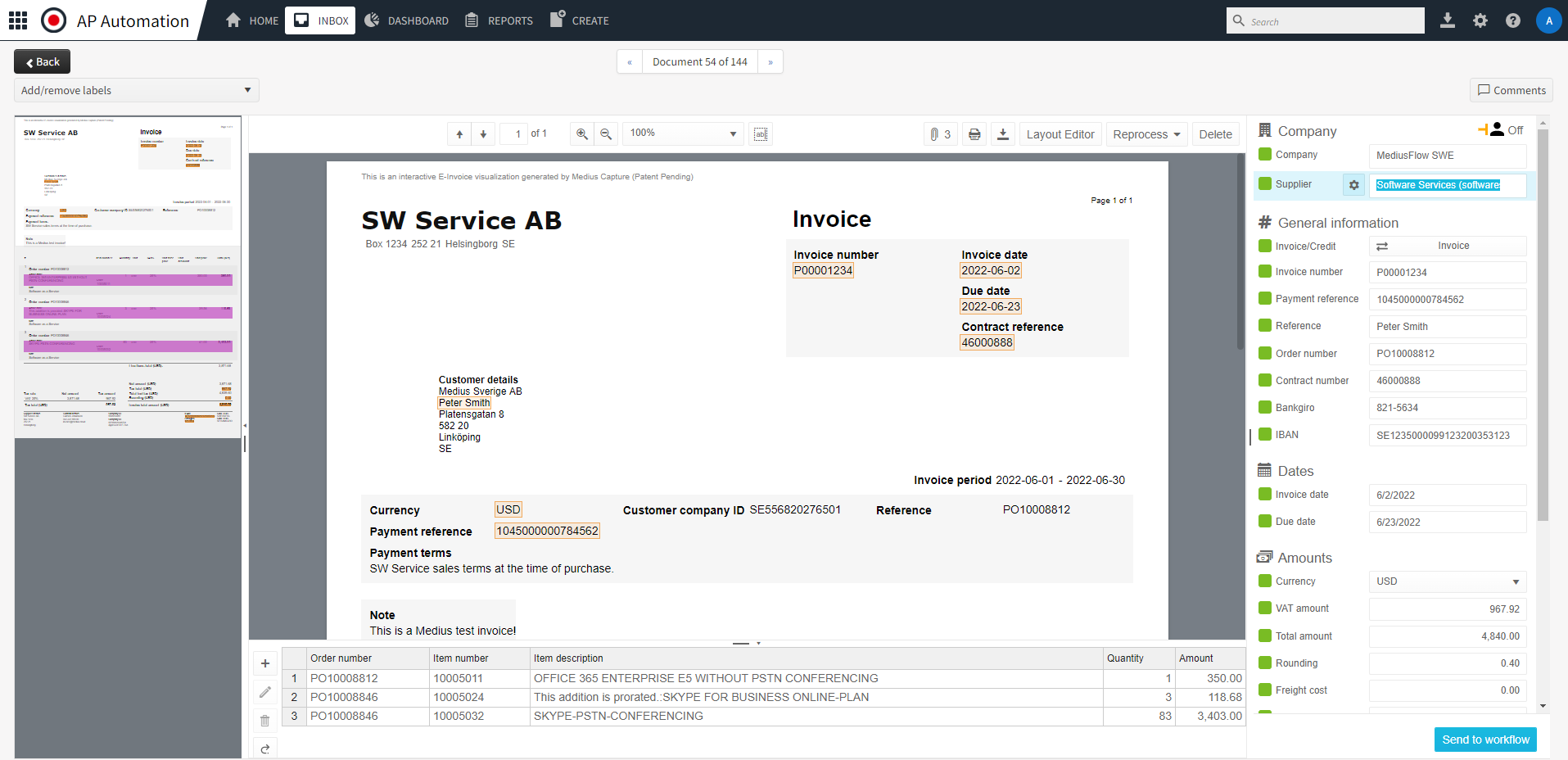
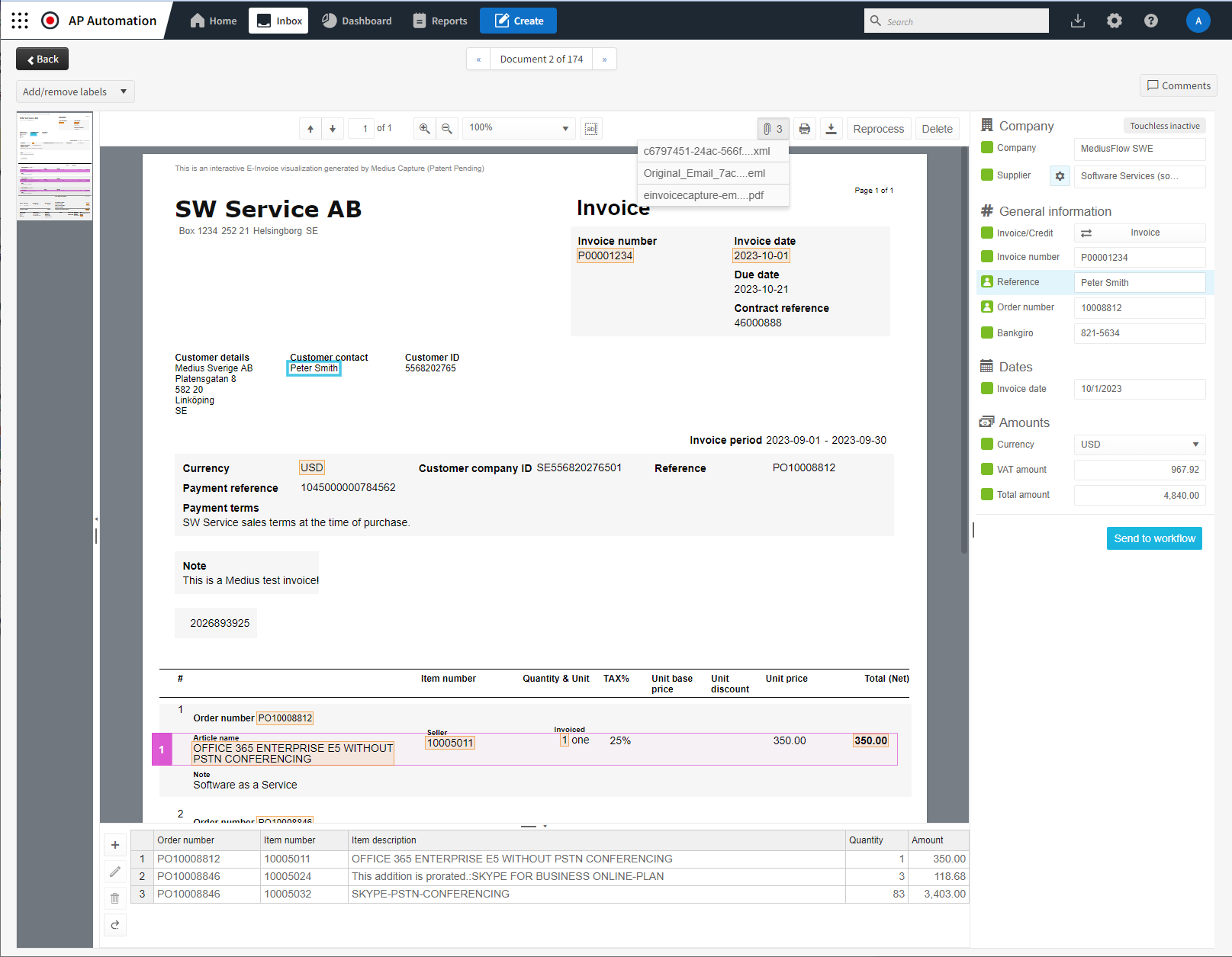
Invoice data capture extracts key details like supplier name, invoice number, date, line items, and amounts from invoices in different formats (paper, PDF, XML, EDI) and organizes them into a digital system. Unlike basic scanning that just creates a digital copy, data capture converts invoice information into usable data that can be validated, matched, coded, and sent for approval.
Why invoice scanning and data capture matter today
As invoice volumes grow and formats diversify, manual data entry becomes increasingly slow, costly, and error-prone. Invoice scanning and data capture provide the foundation for modern AP operations by replacing manual processes with faster, more accurate, and more scalable workflows.
True invoice scanning goes beyond creating digital images. It transforms invoice content into structured, actionable data that can be validated automatically, routed through approval workflows, and processed directly within accounting and ERP systems. This shift enables AP teams to improve processing speed, reduce errors, and gain better visibility into invoice status and cash flow.
How invoice scanning works: from capture to accounting
Modern invoice scanning follows a structured process designed to turn invoices into usable financial data:
Invoices arrive as paper documents, PDFs, electronic invoices, or email attachments. They are captured through physical scanners, mobile devices, supplier portals, or automated inboxes.
Physical invoices are converted into digital images, such as PDFs, which are prepared for data extraction.
OCR and AI technologies identify and extract key invoice fields, including supplier details, invoice numbers, dates, totals, tax amounts, and line items.
Extracted data is checked against business rules, purchase orders, or historical records to identify missing information, inconsistencies, or discrepancies.
Validated invoice data is automatically transferred into accounting or ERP systems, such as SAP, Oracle, NetSuite, Microsoft Dynamics, or Sage where invoices can be approved and paid.

The role of AI in invoice capture
Modern invoice data capture tools, like Medius Capture, use artificial intelligence (AI) and machine learning (ML) to improve accuracy and reduce manual work. These systems can learn from past invoices, adjust to new formats, and process various layouts without needing templates.
Key capabilities of AI-based invoice capture:
- Automatically extracts data from various formats, including paper, PDF, XML, and EDI
- Recognizes invoice fields regardless of layout or vendor
- Learns from historical data to improve accuracy over time
- Flags missing or inconsistent information
- Reduces the need for manual validation or template configuration
Template-based capture vs. AI-based capture
Traditional invoice capture tools often rely on template-based recognition, using pre-set rules to identify data fields. This means they usually need manual setup for each vendor or invoice format.
In contrast, AI-based systems use machine learning to extract data without relying on templates. This makes them more flexible and scalable, especially for organizations handling invoices from hundreds or thousands of suppliers.
| Feature | Template-Based Capture | AI-Based Capture |
|---|---|---|
| Layout flexibility | Limited – format-dependent | Highly adaptable to new formats |
| Setup and maintenance | Requires manual configuration | Learns from patterns automatically |
| Accuracy over time | Static | Improves with use |
| Exception handling | Often manual | Can suggest resolutions automatically |
| Scalability | Requires effort as volume grows | Easily handles increasing volumes |
How invoice capture fits into AP automation
Invoice capture is typically the first step in an automated accounts payable process. Once invoice data is extracted, it can be validated, matched to purchase orders, coded to the correct accounts, and routed for approval.
High-quality data capture improves downstream automation. For example:
- Reducing errors during PO matching
- Speeding up approvals
- Supporting touchless processing (invoices that require no manual touch from receipt to payment)
- Providing better visibility into invoice status and payment timing
Example: AI-powered invoice capture in action
An AI-based AP solution may extract data from a supplier invoice and automatically:
Identify the supplier from vendor ID or name

Recommend the appropriate general ledger (GL)
code based on past patterns
Suggest the correct approver from historical approvals
Flag inconsistencies or discrepancies compared to previous invoices
When is physical scanning still used?
While electronic invoices are becoming more common, some industries and regions still use paper invoices. In these cases, physical scanners digitize the documents so AI/OCR tools can extract the data. Businesses can either scan the documents in-house or outsource the task, only working with the digital files afterward.
Benefits of modern invoice capture tools
Time savings
Automates data entry and minimizes manual intervention
Accuracy
Reduces errors in data capture and invoice matching
Compliance
Ensures a clear audit trail and consistent processing
Scalability
Supports high volumes of invoices without requiring more staff
ERP integration
Sends validated data directly into systems like SAP, Oracle, NetSuite, and Microsoft Dynamics


Is invoice scanning the same as invoice automation?
No. Scanning and digitizing an invoice is just one step in the larger AP automation process. True automation requires capturing usable data, validating it, and routing it through workflows without manual effort.
Digitized invoices that still require manual processing (such as coding, matching, or approvals) are not fully automated.
FAQs on invoice scanning
Paper invoices, scanned documents, PDFs, electronic invoices (e-invoices), and EDI invoices.
Most solutions integrate smoothly with ERP and accounting platforms to automatically transfer captured data, reducing manual work and improving workflow.
Yes. Many tools support multiple languages and currencies, enabling accurate global invoice processing and compliance.
OCR (Optical Character Recognition) converts printed text on invoices into machine-readable characters. AI-based invoice capture goes further by understanding invoice context, learning from historical data, and improving accuracy over time. AI can recognize invoice fields across varying layouts, reduce manual validation, and handle exceptions more intelligently than OCR alone.
Yes. When invoice scanning and data capture are accurate and integrated with AP automation, many invoices can be processed touchlessly from receipt through approval and payment without manual intervention. Touchless processing depends on high-quality data capture, automated validation, and well-defined business rules.
AI-based invoice scanning becomes more accurate over time as the system learns from past invoices and user corrections. While accuracy varies by invoice complexity and data quality, AI-driven solutions significantly reduce manual errors compared to manual data entry or template-based capture.


